第 8 节 · 软件 #software
下面有这一节的现状截图和 4 个骨架不同的新版式。推荐:方案 D——前一节产品介绍信息很满,这一节收成窄栏、深一档纸色,只说一句话配一段短视频,给读者喘气。
怎么用:点右上角「✎ 批注」按钮(按钮上那串英文是这一页批注的存档名),在任意方案、任意一句话上点一下写意见(比如「选 B,但标题换居中」)。选定后这一节可以单独再开一轮。
内容大纲(照现在线上预览版的原文)
- 眉标 // Software · Store OS
- 标题 Effortless by design.
- 导语:Point, tap, done — the software runs the machine so you can focus on the craft.
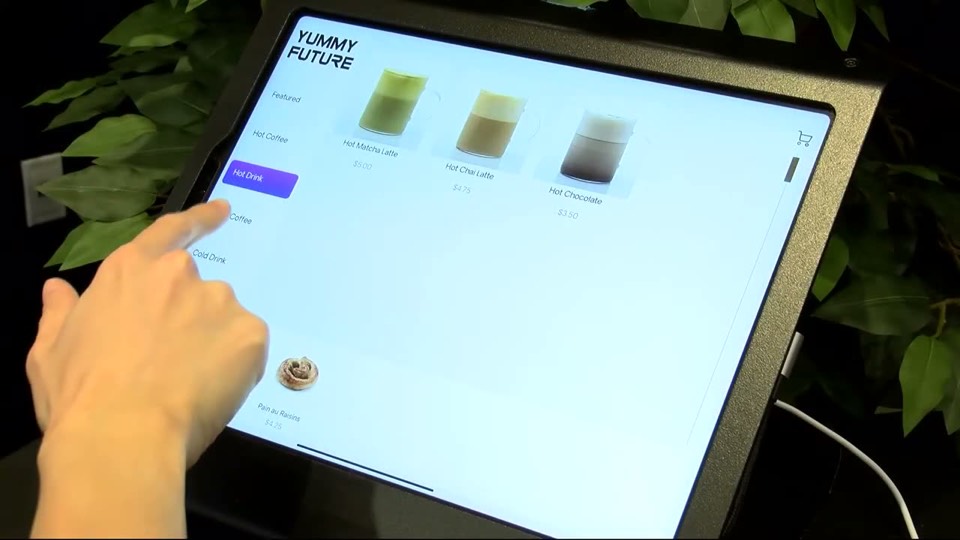
- 机器点单屏实拍视频
- 六个模块:POS · Inventory · Monitoring · Equipment · Staff · Customers(各一句话)
- 两个按钮:Explore Software · Book a demo
- 「Book a demo」正在改成开「买机器」那张表(Jack 已选 A)。
- 旁注和导语是同一句「Point, tap, done…」,说了两遍。
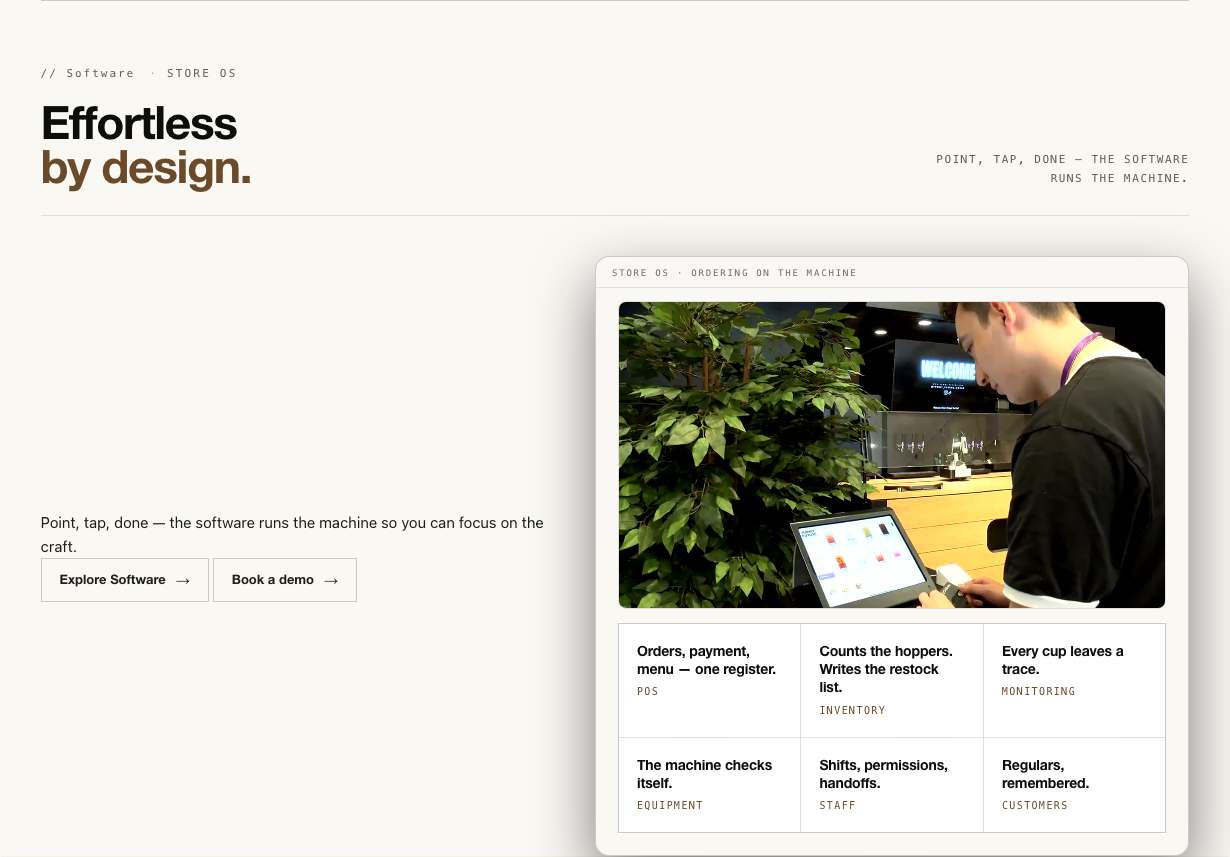
现状
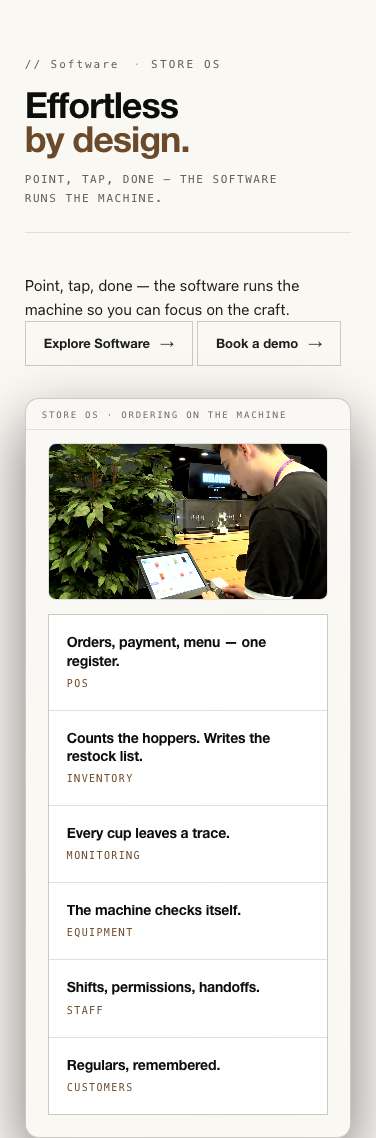
标题块 → 左边一句话+按钮、右边带阴影的视频框(框里 3×2 模块方格)。左边大片空白。
方案 A · 视频居中,六个模块左右各三个围着
适合:屏幕是主角,六个模块像围着它的功能说明,一眼看出「一套软件管全部」。 代价:两侧文字列窄,模块说明只能很短。
Effortless by design.
- POSOrders, payment, menu — one register.
- InventoryCounts the hoppers. Writes the restock list.
- MonitoringEvery cup leaves a trace.
- EquipmentThe machine checks itself.
- StaffShifts, permissions, handoffs.
- CustomersRegulars, remembered.
Effortless by design.
- POSOrders, payment, menu — one register.
- InventoryCounts the hoppers. Writes the restock list.
- MonitoringEvery cup leaves a trace.
- EquipmentThe machine checks itself.
- StaffShifts, permissions, handoffs.
- CustomersRegulars, remembered.
手机上视频在上,六个模块两两一排在下。
两个框里是同一份小样,按框的宽度自动排版——跟真网页在手机上的表现一致。
方案 B · 满版点单屏实拍,模块名压在底边
适合:真人在机器上点单的画面最有说服力,页面在这里有一次「开窗」。 代价:暗底;六个模块只剩名字,说明看不到。
Effortless by design.
Point, tap, done — the software runs the machine so you can focus on the craft.
Effortless by design.
Point, tap, done — the software runs the machine so you can focus on the craft.
手机上画面变竖,模块名两行排。
两个框里是同一份小样,按框的宽度自动排版——跟真网页在手机上的表现一致。
方案 C · 竖排模块页签:左边点模块,右边换画面
适合:六个模块每个都能配自己的截图,将来软件页的内容能直接复用。 代价:现在只有一段点单视频,其余五个模块没有画面,得先补截图。
Effortless by design.
- POSOrders, payment, menu — one register.
- InventoryCounts the hoppers. Writes the restock list.
- MonitoringEvery cup leaves a trace.
- EquipmentThe machine checks itself.
- StaffShifts, permissions, handoffs.
- CustomersRegulars, remembered.
Effortless by design.
- POSOrders, payment, menu — one register.
- InventoryCounts the hoppers. Writes the restock list.
- MonitoringEvery cup leaves a trace.
- EquipmentThe machine checks itself.
- StaffShifts, permissions, handoffs.
- CustomersRegulars, remembered.
手机上模块变成横划小按钮,画面在下。
两个框里是同一份小样,按框的宽度自动排版——跟真网页在手机上的表现一致。
方案 D · 居中窄栏:一句话+一段小视频+两个按钮推荐
适合:最短的一节,给读者喘气;前后都是信息很满的节时特别需要。 代价:六个模块只剩一行名字,软件的「全」看不出来,要靠软件页补。
Effortless by design.
Point, tap, done — the software runs the machine so you can focus on the craft.
POS · Inventory · Monitoring · Equipment · Staff · Customers
Effortless by design.
Point, tap, done — the software runs the machine so you can focus on the craft.
POS · Inventory · Monitoring · Equipment · Staff · Customers
手机上几乎不变,视频宽度占满窄栏。
两个框里是同一份小样,按框的宽度自动排版——跟真网页在手机上的表现一致。
照片和文案全部取自官网已有的内容;小样里的数字只用现在线上预览版出现过的(测试会查)。回总览 →